Table of Contents
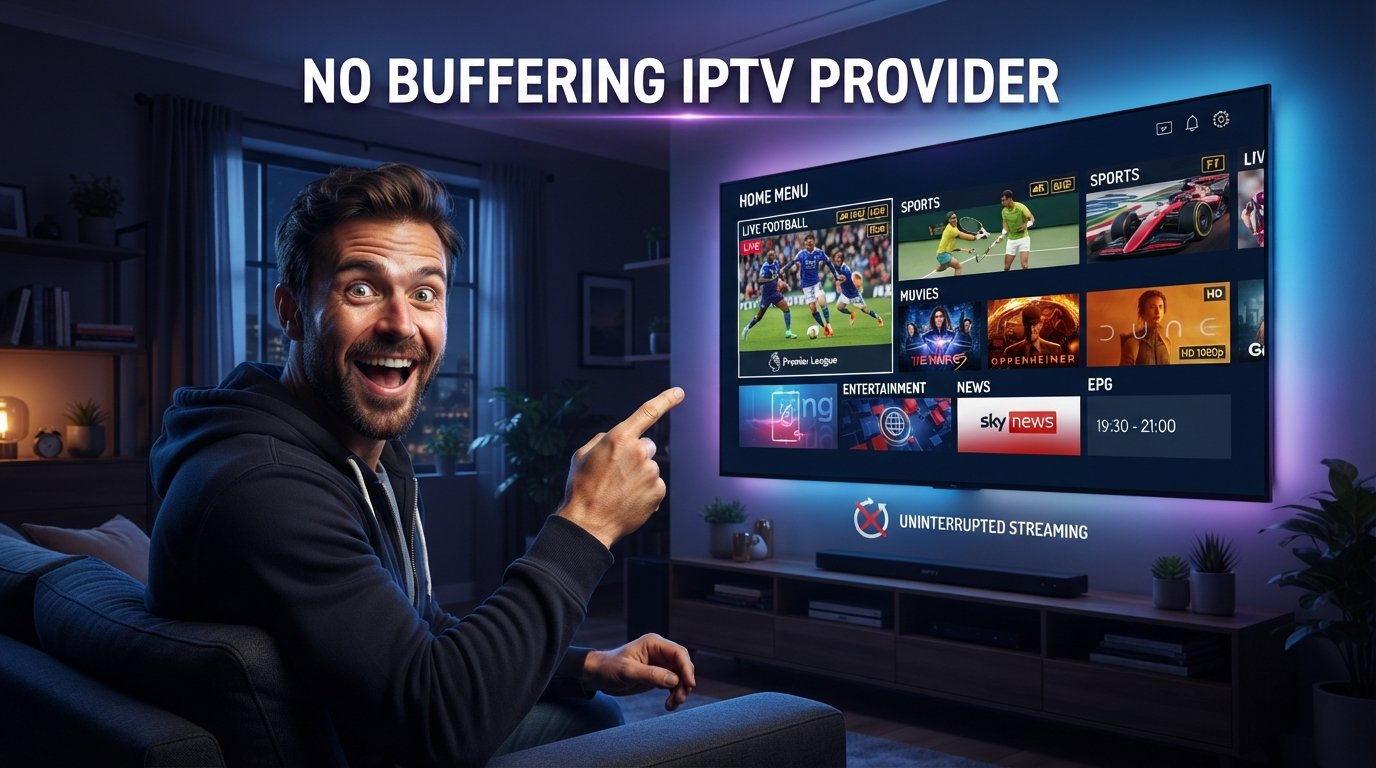
Searching for a no buffering IPTV provider makes sense because buffering is probably one of the most frustrating problems in live television streaming. Nobody wants a football match to freeze just before a goal, a movie to stop every few minutes, or an IPTV application to spend more time showing a loading circle than displaying the channel. The problem is that the phrase “no buffering” is often used as a marketing promise when real streaming performance depends on far more than the provider alone.
No IPTV company can realistically guarantee that buffering will never happen under every possible condition. The provider’s servers and stream quality matter, but so do your internet connection, Wi-Fi signal, router, IPTV player, streaming device, source channel, bitrate, and traffic elsewhere in the household. Even a strong no buffering IPTV provider candidate can struggle when the television is connected through weak Wi-Fi or when several other devices are consuming bandwidth at the same time.
The useful goal in 2026 is therefore not finding a magical service that can promise zero interruptions forever. It is finding a no buffering IPTV provider that performs consistently under normal conditions, handles live sports well, provides stable HD and available 4K streams, works properly on your preferred device, and gives you a way to test the service before making a long commitment.
Quick Answer: Does a True No Buffering IPTV Provider Exist?
A provider can offer very stable IPTV, but nobody can honestly guarantee zero buffering in every situation. A good no buffering IPTV provider should minimize provider-side interruptions through stable infrastructure and quality streams, while your own network needs enough consistency to deliver those streams to the television without interruptions.
The smartest approach is to test rather than trust the phrase “buffer-free.” If you are evaluating Xtreme HD IPTV, start with the current IPTV channel list to confirm that the content you actually watch is available. Prepare your device through the installation guide and then use the IPTV free trial when available. Test live sports, longer programs, evening performance, HD and available 4K content, Wi-Fi, and Ethernet before you compare the current subscription pricing.
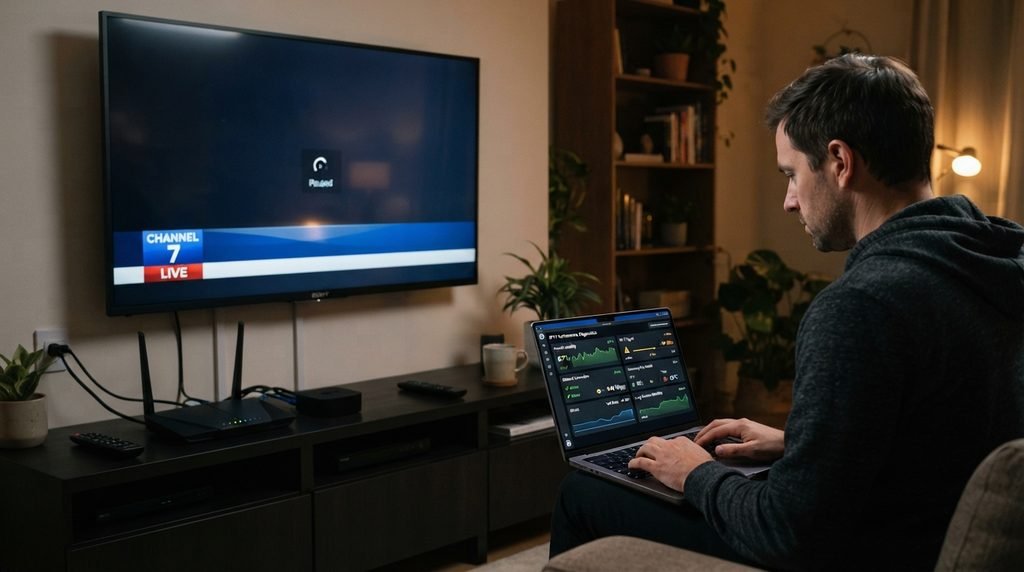
That gives you real evidence about whether a service deserves to be considered a no buffering IPTV provider for your particular home.
1. Understand What Actually Causes IPTV Buffering
The first step is understanding that buffering is not one single problem. Video streaming works through a chain. The IPTV provider sends the stream, your internet provider carries that data to your home, your router distributes it across the network, and your television or streaming device uses an application to decode and display it. A weakness anywhere along that chain can create interruptions.
That is why two people can use the same provider and report completely different experiences. One person may use a wired NVIDIA Shield connected to a strong broadband connection and barely see any interruptions. Another may use an older Smart TV through weak Wi-Fi two rooms away from the router and experience regular freezing. The provider is identical, but the environment is different.
Provider-Side vs. Home-Side Buffering
Provider-side problems usually become more likely when several unrelated channels fail while the rest of your internet connection remains excellent. If Netflix, YouTube, downloads, and other streaming services work normally while multiple IPTV feeds repeatedly freeze, the IPTV infrastructure or channel source deserves attention.
Home-side issues are more likely when several internet services are struggling at the same time. Weak Wi-Fi, packet loss, an overloaded router, network congestion, or an older streaming device can affect IPTV particularly badly because live television has less flexibility than on-demand video. A genuine no buffering IPTV provider should reduce the problems it controls, but your home setup still needs to do its part.
2. Test the Service Instead of Trusting “Buffer-Free” Marketing
Marketing claims are easy to write. Real performance is much harder to fake over a full evening of testing. Before buying a long subscription from any no buffering IPTV provider candidate, use trial access when available and create a realistic test.
If you are considering Xtreme HD IPTV, prepare your application first and then request the IPTV free trial. Do not activate the trial and spend half of the available time searching for an app or trying to understand the login method. Have your device ready so the test is about performance.
Test Longer Streams
One of the biggest mistakes is opening a channel for twenty seconds, seeing that it works, and declaring the provider stable. A stream can start perfectly and develop problems later. Leave important channels running for thirty minutes, an hour, or longer when your trial allows it.
This is especially useful for sports, films, and live television. The no buffering IPTV provider you eventually choose should perform throughout a real viewing session rather than only during channel startup. Testing several categories matters as well. A provider may have excellent movie channels but weaker sports sources, or one regional category may behave differently from another. Your essential content deserves the most attention.
3. Use Live Sports as the Hardest Test
Live sports are probably the most useful way to stress-test a no buffering IPTV provider because sports contain constant movement and viewers tend to watch continuously for long periods. Football, basketball, hockey, cricket, rugby, boxing, motorsport, and other fast-moving events quickly reveal unstable streams.
During a football match, for example, the camera is constantly moving across the pitch while players, the ball, score graphics, and crowd remain in motion. Poor compression becomes obvious, dropped frames are easier to see, and even small buffering interruptions become much more annoying than they would during a casual television program.
Look Beyond Whether the Channel Opens
Judge motion smoothness, audio synchronization, resolution consistency, startup time, and whether the picture remains stable once the match has been running for a while. If a supposedly no buffering IPTV provider constantly drops quality or freezes during the events you care about most, the marketing label means little.
Sports also allow you to test the service during busy viewing periods. Major matches often happen when many people are watching at the same time, making them far more useful than testing a quiet channel in the middle of the morning. A provider that remains stable through several real sporting events gives you stronger evidence than one that performs perfectly during a five-minute daytime test.
4. Compare Wi-Fi With Ethernet Before Changing Providers
Wi-Fi is convenient, but convenience does not always mean stability. Distance from the router, walls, interference from neighboring networks, other connected devices, and the router itself can all affect the consistency of a wireless connection.
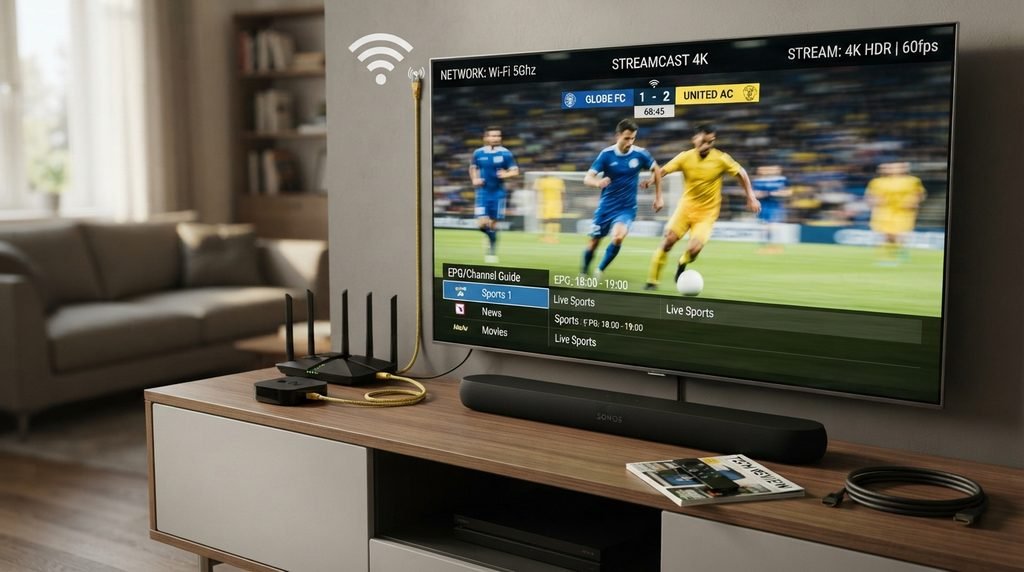
If you are trying to determine whether you have found a no buffering IPTV provider, Ethernet is one of the best troubleshooting tools available. Connect the streaming device directly to the router when practical and test the exact same channel under similar conditions.
What the Ethernet Test Can Tell You
Suppose a sports stream freezes several times over Wi-Fi but plays for ninety minutes without interruption over Ethernet. That strongly suggests your wireless network is contributing to the problem. Changing IPTV companies without improving Wi-Fi might simply reproduce the same issue with another service.
The opposite result is also useful. If the stream repeatedly buffers on both Ethernet and Wi-Fi while other internet services perform normally, the IPTV stream or provider becomes a stronger suspect. This is why a no buffering IPTV provider review should never judge the service without considering the network. Separating the two saves time and can prevent you from paying for several subscriptions while the real problem sits inside the home.
5. Check the Streaming Device and IPTV Player
Your streaming hardware can also create problems. A powerful connection and stable provider will not necessarily produce a smooth experience if the device is struggling to process the application or maintain the stream.
Fire TV, Android TV, Google TV, NVIDIA Shield, Apple TV, Samsung Smart TV, LG WebOS, and dedicated IPTV boxes all have different hardware and software environments. Older Smart TVs may have slower processors and limited memory, while dedicated streaming devices can sometimes handle large playlists and EPG databases more comfortably.
The Player Matters Too
A no buffering IPTV provider can still feel unreliable if the IPTV application itself has problems. Some players handle large playlists, stream reconnection, EPG data, and hardware decoding better than others. That means testing a second compatible player can be useful when one app struggles.
Do not constantly switch applications during normal use, though. Choose a stable player and give it a proper test so you can identify whether a problem comes from the provider or from the software.
The installation guide can help you prepare the supported setup before testing. The best result comes when the provider, player, and streaming device all work well together.
6. Do Not Confuse 4K With Stability
A no buffering IPTV provider does not need every channel to be 4K. In fact, chasing the highest resolution can sometimes make streaming problems more noticeable because higher-quality streams can demand more bandwidth and processing power.
The final picture depends on the original source, bitrate, compression, provider, player, streaming device, network, and television. A stream marked 4K can still be heavily compressed or unstable, while a good 1080p source may look excellent.
Stable Full HD Can Be the Better Choice
Imagine two versions of the same football match. One is Full HD and runs smoothly for the entire ninety minutes. The second is labelled 4K but freezes every ten minutes and occasionally loses synchronization.
The Full HD version provides the better viewing experience.
| Factor | What Matters Most |
|---|---|
| Resolution | Sharp picture |
| Bitrate | Enough detail for the content |
| Motion | Smooth fast movement |
| Audio sync | Commentary matches the picture |
| Buffering | Minimal interruptions |
| Stability | Consistent long sessions |
The best no buffering IPTV provider should therefore be judged on the complete experience rather than how many UHD labels appear in the channel list.
7. Test During Busy Evening Hours
A provider that works beautifully at 10 AM may behave differently at 8 PM. Your own household is likely to be busier in the evening as well. Phones, laptops, game consoles, Smart TVs, cloud backups, software updates, and other streams can all share the same connection.
A realistic no buffering IPTV provider test should happen during the period you normally watch television. If that is Friday evening, Saturday during football, or Sunday night, use part of the trial then.
Keep Your Household Normal
Do not disconnect every device just to make IPTV look good unless you are troubleshooting a specific problem. If your children normally play games, another person watches Netflix, and several smartphones stay connected, test with that normal activity running. What you really need to know is whether the service works in your home as it actually operates.
If IPTV performs perfectly only when every other device is disconnected, your network may need improvement. If it remains stable while the household uses the internet normally, that is much stronger evidence that you have found a good no buffering IPTV provider candidate.
8. EPG and Channel Switching Matter More Than People Think
Buffering is not the only type of delay that makes IPTV feel slow. A badly configured player can take a long time to load the guide, switch channels, or move between categories even when the actual streams are stable.
A good no buffering IPTV provider setup should feel responsive as well as technically stable. Once a channel is playing, navigation should not require repeated restarts, and returning to a favorite channel should be simple.
EPG data can become particularly heavy when a subscription contains thousands of channels. If your player loads an enormous guide database that includes countries and categories you never watch, an older device may slow down. Removing unnecessary categories or using favorites can make everyday navigation more efficient. This is why the overall user experience matters. The goal is not merely keeping the video buffer full. A no buffering IPTV provider should fit into a setup where the player, EPG, and device remain practical enough for everyday television.
9. Compare Reliability Before Comparing Annual Price
It is easy to find an attractive twelve-month price and convince yourself that the savings justify buying immediately. But a cheap year of unstable television is not a good deal.
When evaluating a no buffering IPTV provider, the better sequence is trial first, short-term experience second, and longer commitment third. A free trial can identify obvious problems, while a shorter paid plan gives you time to see how the service performs across several weekends, sports events, network conditions, and updates.
Once you are satisfied, check the current subscription pricing and decide whether a longer term offers worthwhile value. Look at the total payment rather than only the advertised monthly equivalent. Reliability should earn the longer subscription. The lower annual price should not be the thing convincing you that an unreliable provider is somehow good value.
What Does “Anti-Freeze” or “Anti-Buffering” Actually Mean?
Some IPTV marketing pages use terms such as anti-freeze technology, anti-buffering system, optimized servers, or premium streaming infrastructure. Those phrases can describe genuine efforts to improve delivery, but they are not technical guarantees that the stream can never pause. Streaming still depends on network conditions outside the provider’s direct control. The source itself can fail, your internet route can experience congestion, your router can struggle, or your device can run into a software problem.
That means you should treat “anti-freeze” as a claim to test rather than a guarantee to trust. The same applies whenever a company describes itself as a no buffering IPTV provider. The proof comes from performance on your own device and network.
No Buffering IPTV Provider for Firestick
Fire TV devices are popular for IPTV because they offer a television-oriented interface and can work with several streaming applications. A good Firestick setup starts by keeping the device updated, maintaining enough free storage, and using a compatible IPTV player. During your trial, let important streams run rather than endlessly switching channels. If you notice buffering, check whether the Fire TV’s Wi-Fi signal is strong and whether other applications behave normally. Depending on the device and setup, testing a compatible Ethernet connection can also help separate wireless problems from provider problems.
A no buffering IPTV provider should perform consistently on supported Fire TV hardware when the network is healthy, but the device itself still needs to be capable of handling the playlist and stream.
No Buffering IPTV Provider for Android TV and Google TV
Android TV and Google TV can provide a strong IPTV environment because television-focused players often include EPG, favorites, search, custom groups, and other organizational tools. Devices with better processors and sufficient memory can also handle large channel databases more comfortably.
For testing, choose one reliable player and use the same setup repeatedly. If you constantly change players, devices, and network conditions, it becomes difficult to identify where a problem comes from. A good no buffering IPTV provider combined with stable Android TV hardware and Ethernet can create a very consistent setup, but none of those components should be judged independently.
How to Troubleshoot IPTV Buffering Properly
When buffering appears, randomly changing settings can make the problem harder to understand. A simple testing order works better because each step eliminates one possible cause.
Try the following:
- Open another IPTV channel and see whether the problem continues.
- Test another normal streaming application on the same device.
- Restart the IPTV player and then the streaming device if needed.
- Compare Wi-Fi with Ethernet or move closer to the router.
- Test the same IPTV account on another supported device.
- Check whether other people in the household are using significant bandwidth.
- Return to the original channel later and see whether the problem was temporary.
If every IPTV stream fails while the rest of the internet works perfectly, the provider becomes a stronger suspect. If everything buffers, focus on the network first. That method gives you much better information than immediately abandoning one no buffering IPTV provider and buying another.
Legal and Security Considerations
IPTV is simply a technology for delivering television through internet networks. Many legitimate television companies and streaming platforms use it. The legal issue is whether a specific provider has the necessary rights to distribute the channels, films, sports, and other copyrighted programming it sells.
A provider advertising stable or buffer-free premium channels does not automatically prove that those channels are licensed. If legal access matters to you, look for transparency about the company, its terms, support, and content rights.
Security should also be part of evaluating a no buffering IPTV provider. Do not share your username, password, playlist URL, server address, or payment information publicly. Avoid unknown modified applications and suspicious download sites simply because they promise improved buffering or unlocked premium features.
No Buffering IPTV Provider Buying Checklist
Before subscribing, make sure you have:
- checked that the provider carries the channels and sports you actually watch;
- prepared a compatible IPTV player and streaming device;
- used a free trial when available and watched longer sessions rather than only opening channels briefly;
- tested live sports during realistic evening or weekend conditions;
- compared stream stability, motion, audio synchronization, HD, and available 4K quality;
- checked another streaming service whenever buffering appears;
- compared Ethernet and Wi-Fi where possible;
- confirmed simultaneous connection requirements for your household;
- compared subscription pricing only after the no buffering IPTV provider has demonstrated reliable performance.
That single checklist is enough to expose most of the problems that matter before payment.
Frequently Asked Questions
Is There Really a No Buffering IPTV Provider?
A high-quality provider can offer very stable streaming, but no company can guarantee zero buffering under every condition because your internet connection, router, Wi-Fi, player, device, and channel source also affect playback.
How Do I Find the Most Stable IPTV Provider?
Use a trial, test longer streams, watch live sports, use the service during busy evening hours, and compare Wi-Fi with Ethernet. A provider that remains consistently stable through those tests is a much stronger candidate.
Does Faster Internet Eliminate IPTV Buffering?
Not necessarily. Raw download speed is only one factor. Connection consistency, Wi-Fi strength, network congestion, the provider’s stream, and your streaming device also matter.
Is Ethernet Better Than Wi-Fi for IPTV?
Ethernet can provide a more consistent connection by removing wireless interference and signal-strength issues. It is particularly useful for stationary streaming devices when a wired connection is practical.
Does 4K IPTV Buffer More?
Higher-quality streams can require more bandwidth and processing power, so problems can become more noticeable on weaker networks or devices. Stable Full HD can provide a better experience than unreliable 4K.
Can I Test IPTV Before Buying?
When trial access is available, use it. The IPTV free trial can help you evaluate Xtreme HD IPTV on your own device and network before selecting a longer package.
Final Verdict: Finding a No Buffering IPTV Provider in 2026
A no buffering IPTV provider should be understood as a provider that delivers consistently stable streaming under good conditions, not one making an impossible promise that a stream can never pause. IPTV depends on the provider, source, internet connection, home network, player, streaming device, and television working together.
The best way to find one is through testing. Review the current channel list, prepare your device through the installation guide, and use the free trial when available. Watch important channels for longer periods, test live sports during real evening conditions, compare Wi-Fi with Ethernet, judge actual HD and 4K quality, and make sure the IPTV player remains responsive.
Only after the no buffering IPTV provider candidate has performed reliably should you review the current pricing and decide whether a longer subscription is worth the commitment. Stable streaming is something a provider should demonstrate through real performance—not something you should assume because the words “zero buffering” appear on a sales page.
Ready to start streaming?
Choose a subscription and get your Xtreme HD IPTV access from the official pricing page.
Live TV • VOD • Sports • EPG • Multi-device options