Table of Contents
Finding the Best IPTV Player for Firestick in 2026 is no longer as simple as installing the player with the strongest reputation and assuming every Amazon streaming stick works the same way. Fire TV hardware has changed, newer devices are beginning to use Amazon’s Vega OS instead of the older Fire OS environment, and the IPTV player itself is only one part of the overall streaming setup.
The biggest mistake is confusing the player with the television subscription. Applications such as TiviMate, Sparkle TV, and Smarters Pro are media players. They can organize playlists, display an electronic program guide, manage favorites, provide search, and in some cases support recording, catch-up, or multiview. They do not automatically give you television channels simply because you install the app or pay for premium features.
That distinction matters when choosing the Best IPTV Player for Firestick because the final experience depends on three separate layers: the Fire TV hardware, the media player, and the IPTV provider or other authorized content source connected to the player. Excellent software connected to unstable streams will still buffer. A reliable service inside an awkward player can still become frustrating every evening.
Quick Answer: What Is the Best IPTV Player for Firestick in 2026?
There is no single Best IPTV Player for Firestick for every device and every viewer. The strongest choice depends first on the exact Fire TV hardware and operating system, then on the features you actually use.
According to the source material, Sparkle TV is especially interesting because its current official listing explicitly includes Fire TV Stick support alongside Android TV and Google TV. TiviMate remains one of the strongest television-focused players for advanced users because of its EPG, multiple playlists, favorites, recording, catch-up, search, parental controls, and multiview, but its official listing targets Android TV. Smarters Pro is another strong option for users who prefer a simpler cross-platform media-player environment.
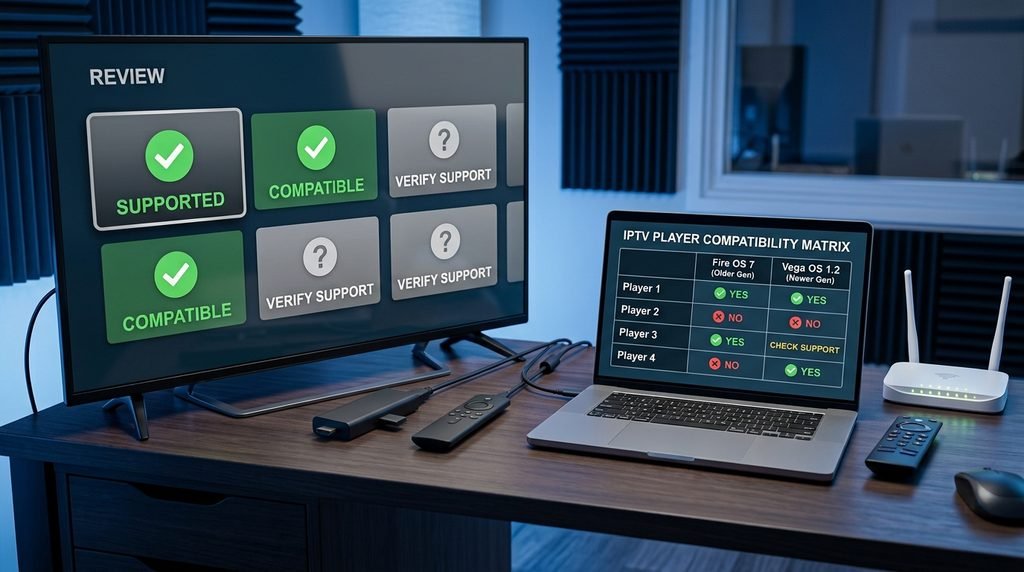
The most important 2026 compatibility issue is that Fire TV hardware is no longer one uniform platform. The source says Amazon’s Fire TV Stick 4K Select uses Vega OS and that future Fire TV Sticks will move toward Vega, while older Fire TV hardware remains in the Fire OS ecosystem. That means the Best IPTV Player for Firestick should be chosen around the exact device you own rather than the word “Firestick” alone.
Start With Firestick Compatibility Before Features
The Best IPTV Player for Firestick cannot be chosen correctly until you know which Fire TV device you actually own. For years, many tutorials treated the Fire TV ecosystem as one Android-like environment. The source says that assumption is becoming outdated because Amazon now has both Fire OS and Vega OS hardware in the market.
The Fire TV Stick 4K Select is identified in the source as a Vega OS device, while older Fire TV products continue to exist under Fire OS. That means an installation guide written for a previous Firestick generation may still be useful for compatible older hardware without proving that the same player or installation method works on a new Vega-based stick.
The Exact Model Now Matters as Much as the Player Name
A player can have an excellent reputation and still be the wrong Best IPTV Player for Firestick choice if it is not currently supported on the user’s exact hardware. Before paying for premium access, verify that the player is available or supported on that specific Fire TV model and operating environment.
This compatibility-first approach prevents an increasingly common mistake: buying a player because an old article called it “best for Firestick” without checking whether that recommendation was written for Fire OS or newer Vega hardware.
Where TiviMate Fits
TiviMate remains one of the strongest advanced television players described in the source. Its current official listing includes M3U, Xtream Codes, Stalker Portal, EPG, multiple playlists, favorites, catch-up, recording, search, parental controls, and multiview. Those features explain why it appears so often in Best IPTV Player for Firestick discussions.
Its biggest strength is organization. IPTV services can contain very large catalogs, and without a strong interface that quickly becomes inconvenient. TiviMate allows users to reduce a huge playlist into a more traditional television experience through Favorites, search, guide data, groups, and multiple playlist management.
The 2026 Compatibility Caution
The source says TiviMate’s official listing describes it as designed for Android TV. That makes the player highly relevant for compatible Fire TV hardware, but it also means the Best IPTV Player for Firestick recommendation should not assume universal compatibility across every old and new Firestick. On compatible hardware, TiviMate remains a strong power-user candidate. On newer Vega-based Fire TV hardware, current support should be verified rather than inferred from older Fire OS tutorials.
Where Smarters Pro Fits
Smarters Pro takes a more general cross-platform approach. The source describes its current feature set as including EPG, Picture-in-Picture, search, favorites, multiple playlists, parental controls, and playback across several supported platforms.
For users who value familiarity across different devices, that can make Smarters Pro attractive. The interface may also feel less intimidating to beginners who do not immediately need the deepest recording, playlist, or multiview tools.
Smarters Pro Does Not Include IPTV Channels
This deserves emphasis because search results around “Smarters subscription” can be confusing. The source says Smarters Pro’s official website states that it does not host, provide, sell, or distribute IPTV subscriptions or channel packages. If Smarters Pro becomes your Best IPTV Player for Firestick, the content subscription remains a separate product.
Sparkle TV vs TiviMate vs Smarters Pro
The most useful Best IPTV Player for Firestick comparison is not about counting features. It is about matching each player’s strongest use case to the exact Fire TV hardware and viewing style.
| Player | Strongest Use | EPG | Multiview | Recording / DVR | Source Position |
|---|---|---|---|---|---|
| Sparkle TV | Fire TV-focused flexibility | Yes | Yes* | Yes* | Explicitly lists Fire TV Stick |
| TiviMate | Advanced television interface | Yes | Yes | Yes | Official listing targets Android TV |
| Smarters Pro | Cross-platform simplicity | Yes | Platform/version dependent | Varies | Standalone media player |
| Basic provider player | Simple initial setup | Usually | Usually limited | Usually limited | Depends on provider |
*The source notes that some Sparkle advanced functionality requires Sparkle Plus.
If current documented Fire TV support is the priority, Sparkle TV is especially interesting. For deep interface control and power-user features on compatible hardware, TiviMate remains extremely strong. Smarters Pro makes more sense when cross-platform familiarity and simpler operation matter more than the longest advanced-feature list.
Test the Player With the Provider You Intend to Keep
The player cannot repair bad streams. You can install an advanced application, organize Favorites perfectly, build a clean EPG, and still have a poor television experience if the underlying provider constantly freezes.
That is why the Best IPTV Player for Firestick should be tested together with the service you actually intend to use. If Xtreme HD IPTV is under consideration, use the IPTV free trial when available after preparing the player through the installation guide. Check the channel list beforehand so you already know which sports, news, entertainment, and international categories to test. Then leave streams running, use the EPG, move between categories, add Favorites, and restart the app.
The Player Should Make a Good Service Easier to Use
The Best IPTV Player for Firestick should improve organization, navigation, and daily convenience. It should not hide provider problems long enough for you to mistake interface quality for stream reliability.
Separate Player Problems From Network Problems
Users sometimes install several different players because every one of them buffers. At that point, the player may not be the real problem. The stream still travels through the ISP, router, Wi-Fi or Ethernet connection, Firestick hardware, player, and provider before it reaches the television.
Weak Wi-Fi affects TiviMate, Sparkle TV, Smarters Pro, and nearly every other streaming app. The Best IPTV Player for Firestick cannot compensate for a poor wireless signal on the far side of the house.
Compare the Same Stream Across Players
If one player buffers, test the exact same channel in another compatible application. If one works and the other consistently fails, the application deserves investigation. If several players fail under the same conditions, open another normal video service and test the network.
Where supported, Ethernet can create a useful baseline because it removes some Wi-Fi variables. A careful Best IPTV Player for Firestick comparison changes one layer at a time instead of replacing the app, provider, router settings, and device simultaneously.
| Symptom | Likely Layer | Useful Test |
|---|---|---|
| One player fails, another works | Player/app | Keep stream and network constant |
| All players buffer | Network, device, or provider | Test another streaming service |
| Wi-Fi struggles, Ethernet works | Local network | Improve wireless or use wired connection |
| One channel fails everywhere | Individual stream source | Open unrelated channels |
Best IPTV Player for Firestick for Beginners
A beginner does not automatically need the player with the longest feature list. If the goal is to enter credentials, organize a few Favorites, use an EPG, search, and start watching, a simpler supported application can be the stronger Best IPTV Player for Firestick choice.
The source describes Smarters Pro as offering a familiar cross-platform interface with EPG, Favorites, search, parental controls, and multiple playlists. Sparkle TV can also be beginner-friendly for users willing to spend some time organizing the interface.
Choose the App You Can Operate Comfortably
The Best IPTV Player for Firestick for a beginner should reduce friction. A feature is not useful if the user never understands how to reach it. Advanced recording, multiview, playlist management, and deep customization become valuable only when they solve a real need.
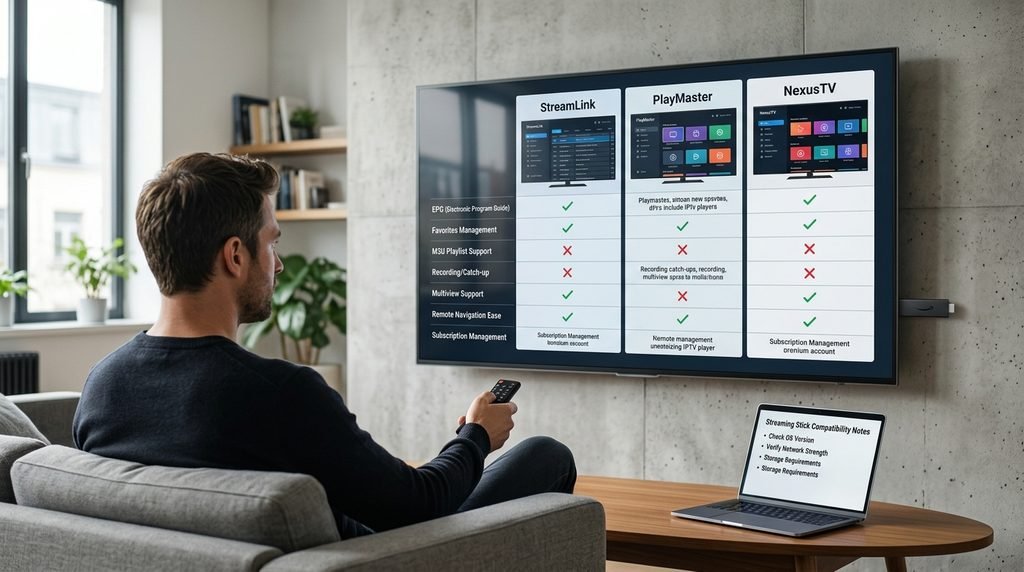
Best IPTV Player for Firestick for Power Users
Power users care more about large-screen organization, several playlists, catch-up, recording, detailed guide control, parental settings, and multiview. On compatible hardware, those needs make TiviMate and Sparkle TV especially relevant in the source material.
TiviMate’s strength is its television-first interface and mature feature set. Sparkle TV combines Fire TV documentation with DVR/PVR-style functions and multiple-source support. The Best IPTV Player for Firestick for a power user should be chosen from the player that matches the exact device and the advanced features that will actually be used.
What Vega OS Changes
The biggest platform change affecting the Best IPTV Player for Firestick in 2026 is Vega OS. The source says Amazon’s Fire TV Stick 4K Select runs Vega and that future Fire TV Sticks will move in that direction. That means older Android-focused installation assumptions should not automatically be applied to every new Firestick.
For older Fire OS hardware, previous Fire TV guidance may still remain relevant depending on the app. For newer Vega devices, the Best IPTV Player for Firestick should come from software that is currently supported for that ecosystem rather than from an old tutorial that happened to work on a previous model.
Verify Support Before Paying for Premium
Do not purchase premium access to a player simply because somebody says it works “on Firestick.” Confirm that the application itself is supported on the exact Fire TV Stick model you own. The Best IPTV Player for Firestick should be selected from current compatibility, not reputation alone.
Should You Pay for a Premium IPTV Player?
That depends on how often you use IPTV and which premium features matter. A casual viewer who watches a small group of favorite channels may not need advanced multiview, recording, multiple playlists, DVR-style controls, or deep customization.
A daily viewer may find premium features worthwhile because they improve every session. The Best IPTV Player for Firestick is worth paying for when the premium functions solve real problems in your routine rather than simply making the feature list longer.
Premium Features Do Not Improve the Original Stream
Paying for TiviMate Premium, Sparkle Plus, or another premium player does not transform a poor source into native 4K or remove provider-side buffering. The Best IPTV Player for Firestick can improve the interface and tools, but the original stream still comes from the content source.
Player Software and Content Rights Are Separate
An IPTV media player is software that plays compatible streams and playlists. The source says TiviMate, Sparkle TV, and Smarters Pro each position themselves as media players rather than television-content providers and state that users are responsible for supplying appropriate content.
The legal question generally concerns the content source and whether it has authorization to distribute the channels, sports, films, or other programming being added to the player. Installing the Best IPTV Player for Firestick does not establish whether a third-party provider holds those rights.
Common Firestick Player Mistakes
One of the biggest mistakes in 2026 is assuming every Firestick uses the same operating environment. Vega OS makes exact-device compatibility increasingly important. Another common mistake is paying for a premium media player and expecting channels to appear automatically.
Users also switch players repeatedly when weak Wi-Fi is actually causing buffering, assume recording will work without enough storage, or enable multiview without checking provider connection limits. The Best IPTV Player for Firestick should simplify television rather than add another layer of confusion.
Change One Layer at a Time When Troubleshooting
If something is wrong, do not change the player, provider, router settings, VPN, and Firestick at the same time. Keep most of the setup constant and test one variable. That makes it much easier to determine whether the Best IPTV Player for Firestick is actually the issue.
Final Player Decision Scorecard
The easiest way to choose the Best IPTV Player for Firestick is to score the app against the things that matter in daily use rather than picking whichever player has the longest feature list.
| Decision Area | Question | Strong Result |
|---|---|---|
| Compatibility | Is the player supported on your exact Firestick? | Current confirmed device support |
| Account format | Does it accept the provider/source method? | Clean login or playlist setup |
| EPG | Is guide data easy to use? | Accurate, readable daily guide |
| Navigation | Does the remote feel natural? | Fast Favorites, search, categories |
| Sports | Do switching and multiview fit your needs? | Responsive game-day use |
| Recording | Do storage and source support match the feature? | Realistic DVR/catch-up setup |
| Performance | Does the player remain stable on your hardware? | No app-specific lag or crashes |
| Provider fit | Does it work well with the service you intend to keep? | Stable real-world combination |
| Premium value | Will paid features be used regularly? | Features solve real daily needs |
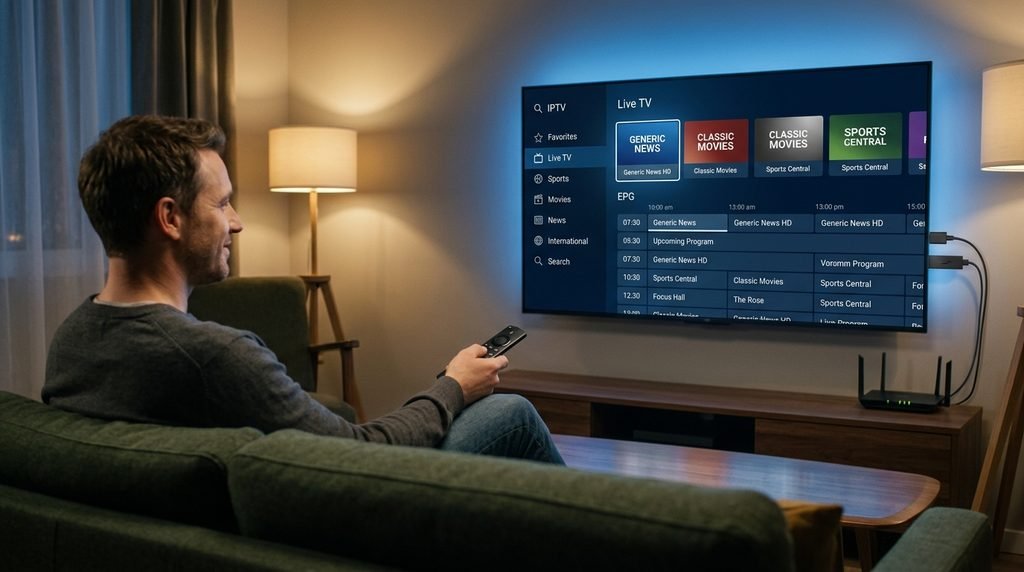
Frequently Asked Questions About the Best IPTV Player for Firestick
What is the Best IPTV Player for Firestick in 2026?
The source makes Sparkle TV especially interesting because its current official listing explicitly includes Fire TV Stick support. TiviMate remains one of the strongest television-focused players on compatible hardware, while Smarters Pro is useful for cross-platform simplicity.
Is TiviMate the Best IPTV Player for Firestick?
TiviMate has a strong feature set, including EPG, multiple playlists, Favorites, recording, catch-up, search, parental controls, and multiview. The source says its official listing targets Android TV, so compatibility should be verified for the exact Fire TV hardware before treating it as the universal Best IPTV Player for Firestick.
Does TiviMate include IPTV channels?
No. The source says TiviMate explicitly describes itself as a media player and does not provide channels, streams, or television content.
Is Sparkle TV good for Firestick?
The source says Sparkle TV’s current official listing explicitly mentions Fire TV Stick and includes EPG, Favorites, search, DVR, timeshift, multiview, catch-up, and support for common IPTV formats. Some advanced functions require Sparkle Plus.
Can I test my IPTV service before choosing a long plan?
Yes when trial access is available. Prepare the player first and use the IPTV free trial to test the actual player-and-provider combination before making a longer commitment.
Should beginners choose TiviMate, Sparkle TV, or Smarters Pro?
Beginners should prioritize current device support and an interface they can operate comfortably. Smarters Pro may appeal to users who prefer simpler cross-platform familiarity, while Sparkle TV can be attractive when current Fire TV documentation matters. The Best IPTV Player for Firestick for a beginner is the one that reduces friction rather than exposes every advanced option at once.
Should I pay for premium player features?
Pay when the advanced features matter to your normal viewing. Multiview, recording, multiple playlists, DVR-style tools, and customization can be useful for daily users, but premium access does not improve the provider’s original stream quality.
Final Verdict: Best IPTV Player for Firestick in 2026
The Best IPTV Player for Firestick in 2026 depends first on the exact Firestick you own and second on the features you genuinely need. That order matters because Fire TV hardware is no longer one uniform operating environment.
Sparkle TV deserves serious consideration because the source says its current official listing explicitly supports Fire TV Stick and combines EPG, Favorites, search, multiple sources, DVR, timeshift, multiview, and other television-focused features. TiviMate remains one of the strongest power-user options on compatible hardware because of its large-screen interface, EPG, multiple playlists, recording, catch-up, search, parental controls, and multiview. Smarters Pro remains a useful alternative for users who prefer a more familiar cross-platform media-player experience.
The biggest change is Vega OS. The source says the Fire TV Stick 4K Select runs Vega and future Fire TV Sticks will move in that direction. Future Best IPTV Player for Firestick recommendations therefore need to be based on exact hardware support instead of treating every Firestick as the same Android-style device.
After choosing the player, evaluate the subscription separately. Review the channel list, prepare the device with the installation guide, and use the free trial when available. Once the player-and-provider combination works properly, compare the current pricing and decide how long a subscription makes sense.
The Best IPTV Player for Firestick should eventually disappear into the background. Turn on the television, open the app, choose a favorite channel, and watch. If the menus, compatibility, or setup constantly get in the way, it probably is not the best player for that Firestick.
Ready to start streaming?
Choose a subscription and get your Xtreme HD IPTV access from the official pricing page.
Live TV • VOD • Sports • EPG • Multi-device options