Introduction:
Wondering how to install IPTV on Firestick? Setting up an IPTV service on your Amazon Fire TV Stick is straightforward. This guide explains how to install IPTV apps such as IPTV Smarters Pro, along with alternative options, so you can complete the setup and start streaming your content.
Best IPTV Apps to Install on Firestick
When choosing an IPTV app for Firestick, you have several options depending on your preferred interface, features, and device compatibility. Popular IPTV players include IPTV Smarters Pro, TiviMate, XCIPTV, HOT IPTV, and IBO Player Pro.
- IPTV Smarters Pro – A popular IPTV player with an intuitive interface and support for live TV, VOD, series, EPG, and Xtream Codes.
- XCIPTV – A user-friendly IPTV player designed for live TV, movies, series, and EPG management.
- TiviMate – A powerful IPTV player for Firestick and Android TV, featuring an advanced EPG, playlist management, favorites, and a TV-friendly interface.
- HOT IPTV – A simple IPTV player for managing and streaming IPTV playlists on compatible devices.
- IBO Player Pro – A modern IPTV player compatible with Fire TV and Android TV, offering a clean interface for managing IPTV playlists.
Which IPTV App Should You Choose?
The best IPTV app depends on your device, viewing preferences, and the features you need. TiviMate is an excellent choice for users who want advanced EPG and playlist management, while IPTV Smarters Pro, XCIPTV, HOT IPTV, and IBO Player Pro offer straightforward alternatives.
For the best experience, download IPTV apps from their official or trusted sources and use valid IPTV subscription credentials when setting up your service.
Essentials for Installing IPTV on Firestick
Before installing IPTV on your Firestick, prepare the following to ensure a smooth and hassle-free setup:
- Active IPTV Subscription: You’ll need a valid IPTV subscription to access live TV channels, movies, series, and other available content.
- Compatible IPTV App: This guide uses IPTV Smarters Pro, but you can also use another IPTV player that supports your device.
- IPTV Login Details: Have your username, password, and server URL ready. Your IPTV provider typically sends these details after purchase.
- Stable Internet Connection: A reliable internet connection is essential for smooth live TV, VOD, and HD or 4K streaming.
- Optional VPN: A VPN isn’t required to install IPTV, but it can add an extra layer of privacy and security while streaming on your Firestick.
Simple Steps to Install IPTV Smarters Pro on Firestick
1. How to Download and Install Downloader App on Firestick
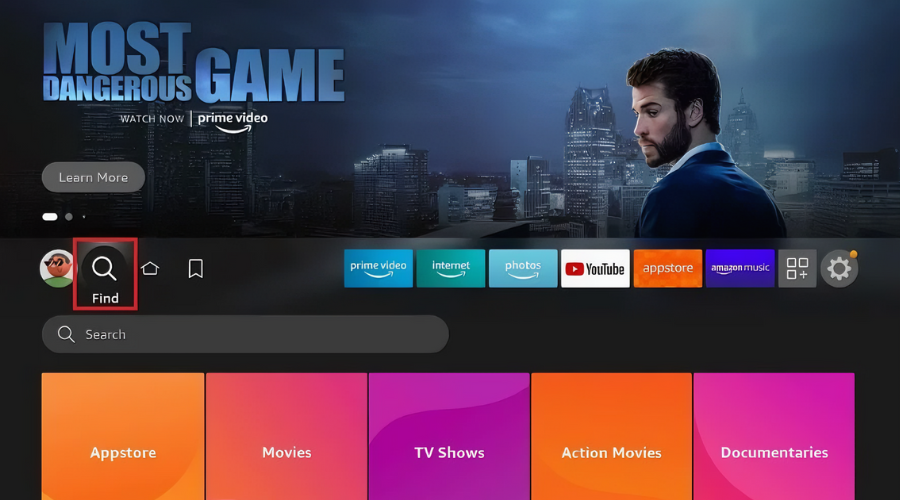
- From the Firestick home screen, navigate to the Find option.
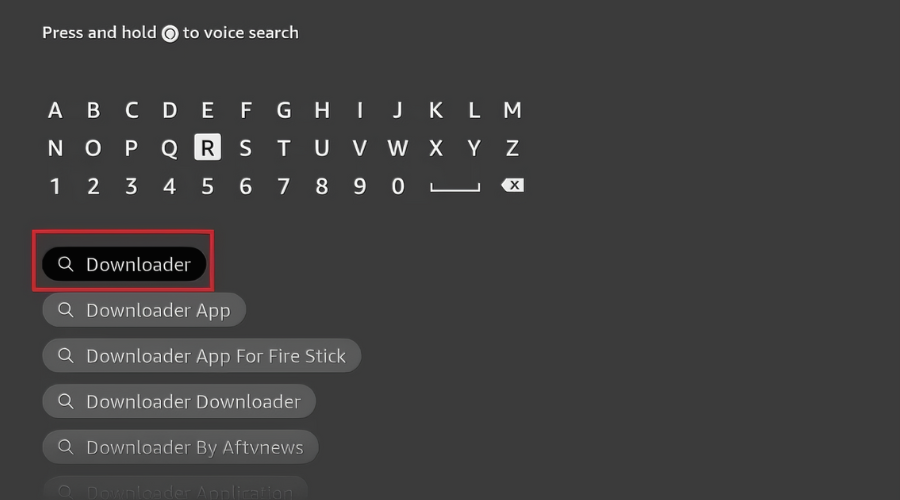
- Select Search and input “Downloader“.
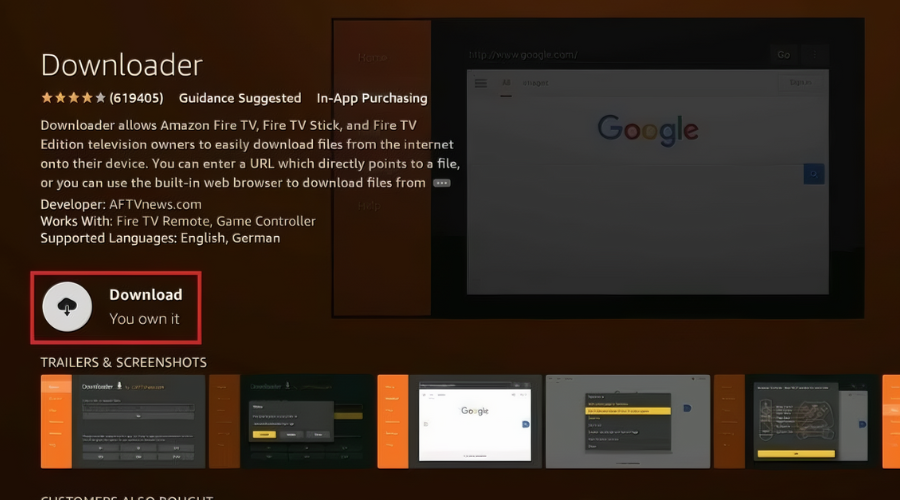
- Choose the Downloader app and click Download.
- Once installed, click Open to launch the app.
2. Enabling Developer Options
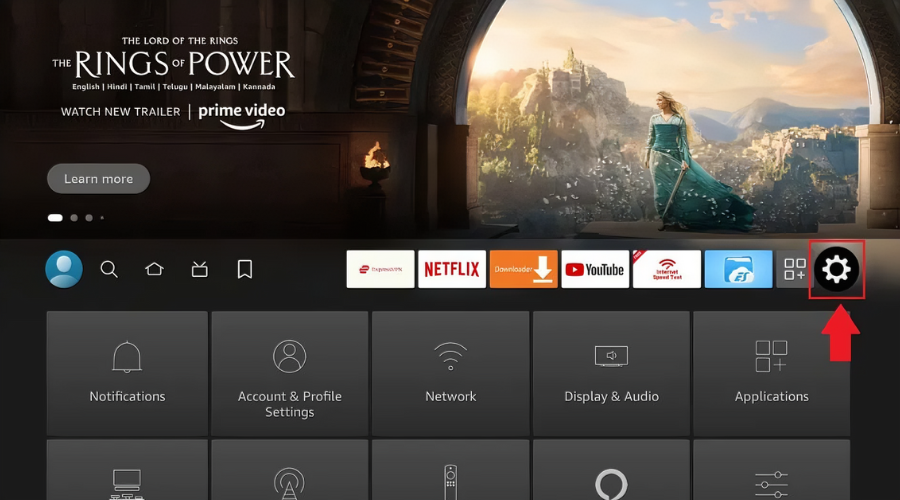
- Return to the home screen and open Settings.
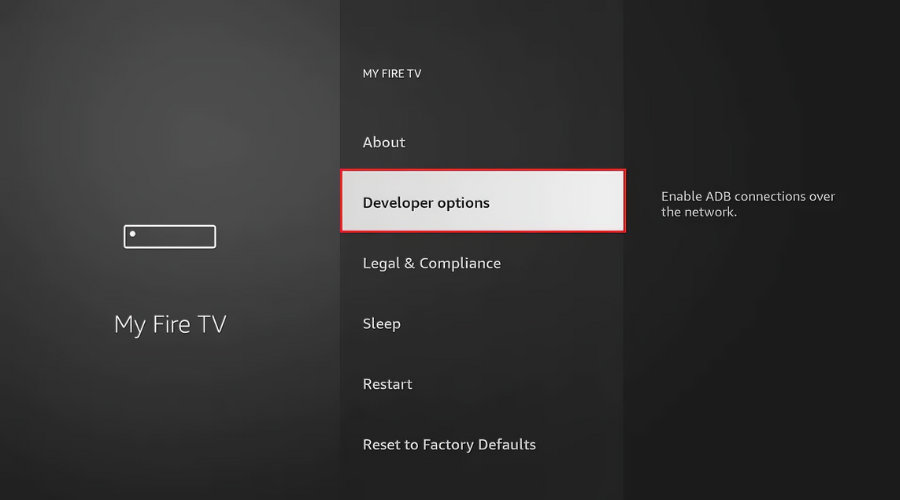
- Go to My Fire TV and select Developer Options.
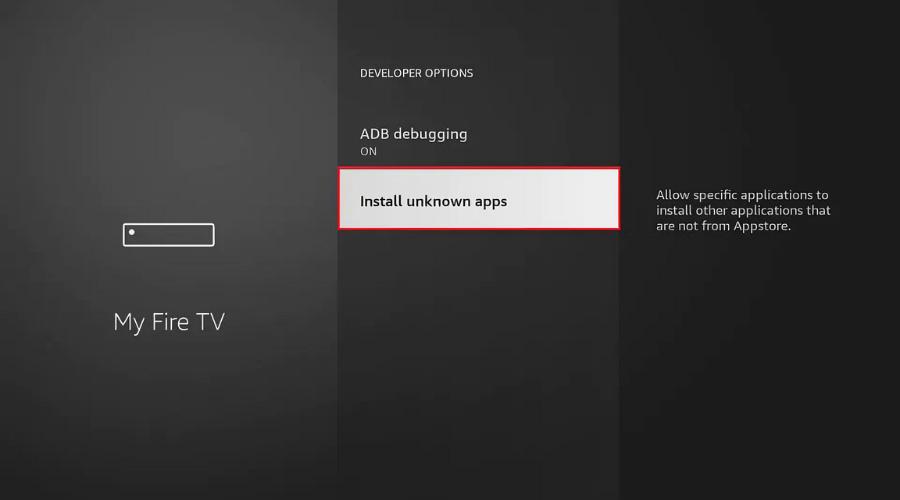
- Enable Install Unknown Apps.
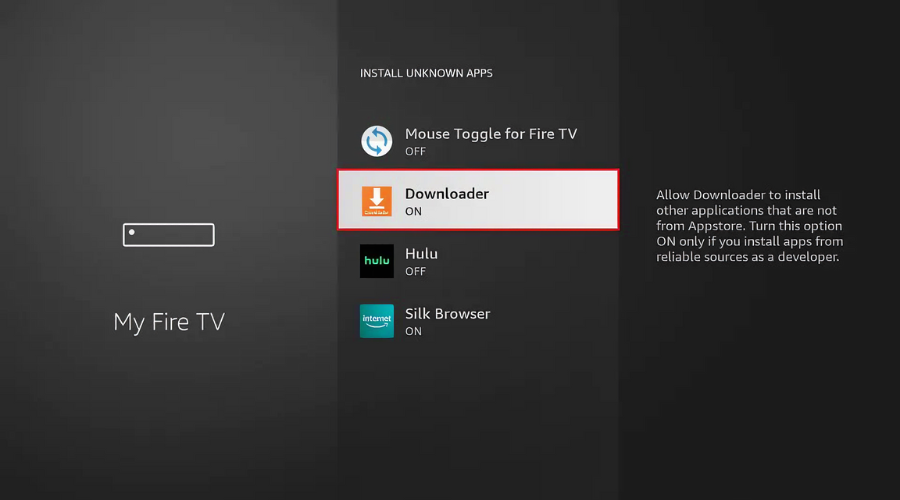
- Locate and select the Downloader app to enable installation from unknown sources.
3. How to Download IPTV Smarters Pro on Firestick
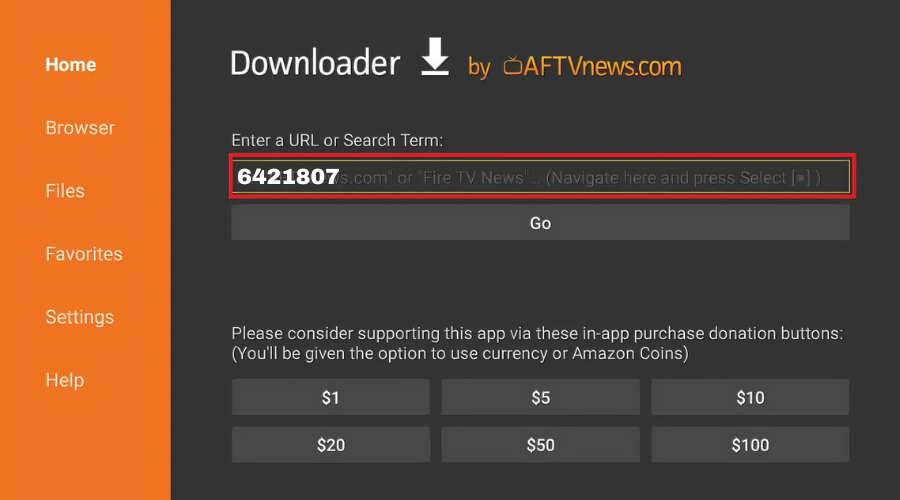
- Open Downloader and click Allow and OK.
- In the URL field, enter Downloader Code: 6421807 for IPTV Smarters Pro.
- Wait for the file to download, then click Install.
- After installation, click Done.
4. Logging Into IPTV Smarters Pro on Firestick
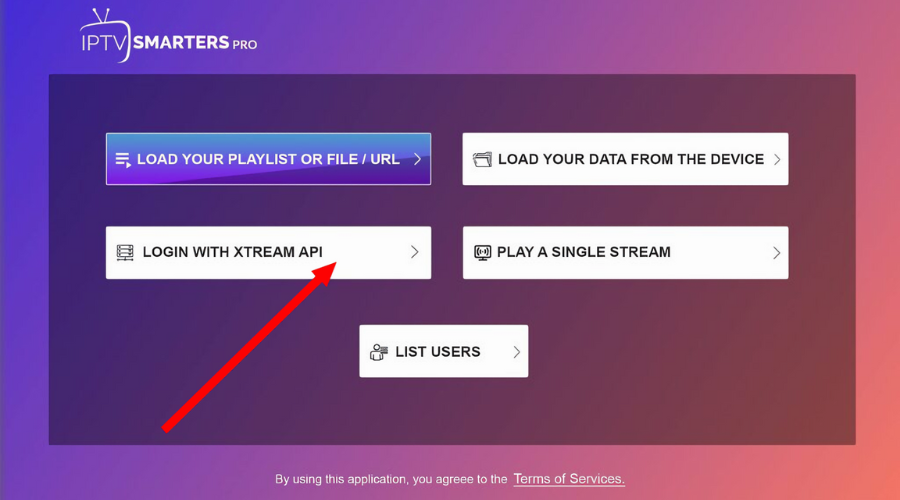
- Open IPTV Smarters Pro and choose Login with Xtream Codes API.
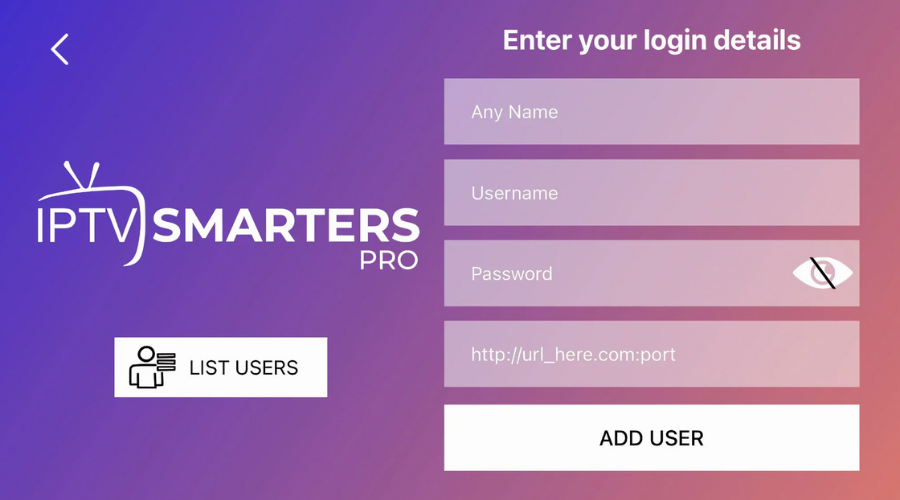
- Please input your IPTV credentials, which you should have received through Email or WhatsApp.:
- First Box: Enter any identifier, such as your name (limited to six characters).
- Second Box: Enter your username.
- Third Box: Enter your password.
- Fourth Box: Enter your server URL, ensuring it begins with HTTP://.
- Should an “Authorization Failed” alert appear, double-check your credentials, as errors frequently stem from typos. If the connectivity hurdle persists, try deactivating your VPN service to see if that resolves the access restriction you are experiencing.
Conclusion: